How to Share Wedding Photos With Guests (Without the Post-Wedding Chaos)
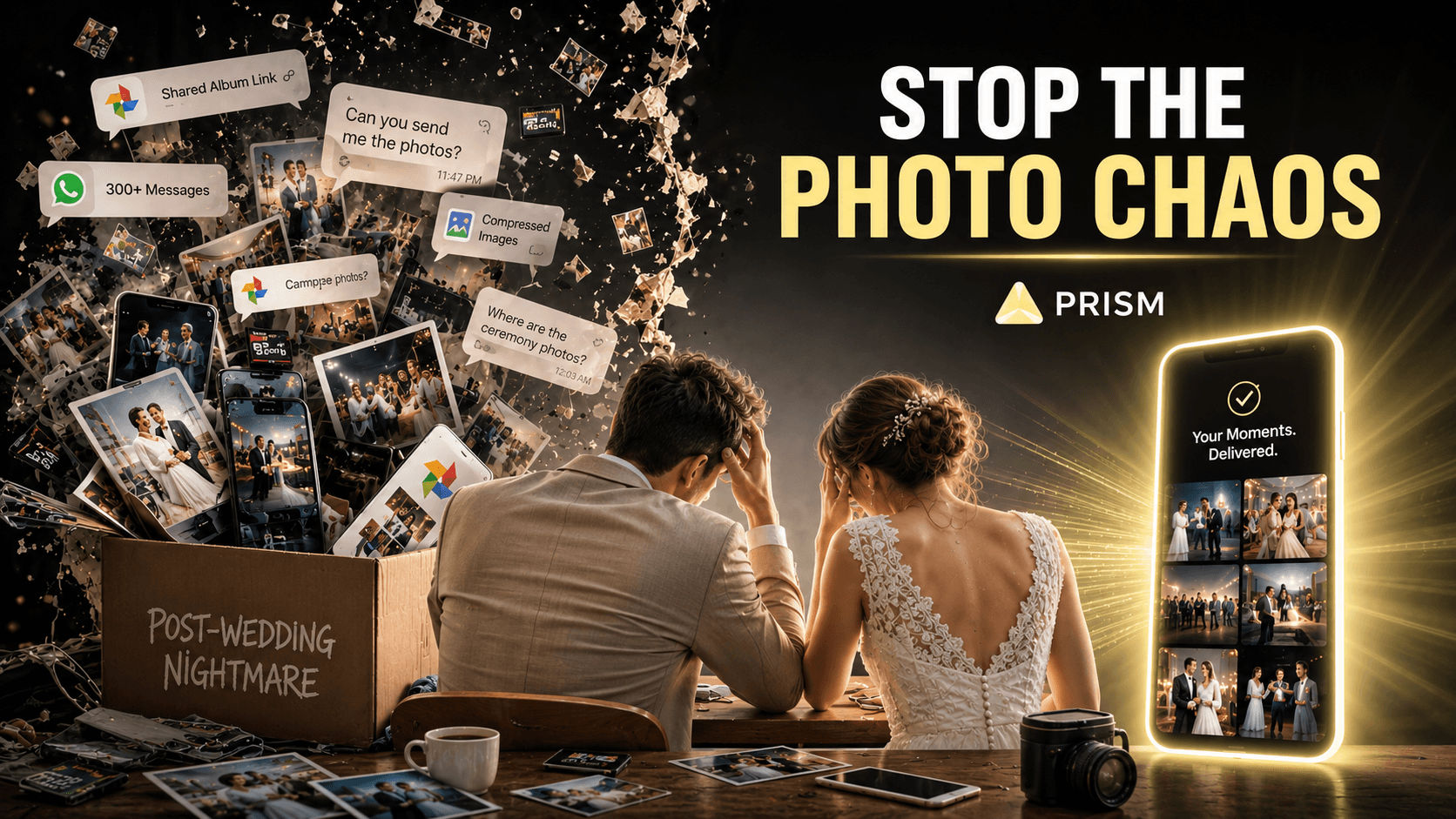
The wedding is over.
The flowers have wilted. The cake is gone. The playlist is still stuck in your head.
And somewhere between 300 and 1,200 photos are sitting across 4 different phones, a DSLR memory card, and 3 separate WhatsApp threads — waiting to be sorted, curated, and sent to the right people.
Welcome to the part of weddings nobody talks about: the post-wedding photo distribution nightmare.
Why Wedding Photo Sharing Is Uniquely Painful
Weddings are the most photographed events in most people's lives. And that's exactly what makes distribution so difficult.
Think about what's actually happening:
- The official photographer has 800–1,500 edited photos that need to go to the couple — weeks later
- The couple needs to forward specific photos to parents, the bridal party, relatives, and close friends
- Guests each took dozens of candid shots on their phones that nobody else has seen
- Everyone wants the photos they're in — and nobody wants to scroll through 700 shots to find them
Now multiply this across 100–300 guests.
The result? Weeks of back-and-forth messages. Forgotten shares. Beautiful candid moments trapped on someone's phone forever. And a couple who spent their honeymoon answering "can you send me the photos from the ceremony?" instead of actually enjoying it.
The Most Common Methods — And Where They Break Down
Shared Google Photos Album
The most popular workaround. The couple (or photographer) creates an album and shares the link in a group message.
What goes wrong:
- Everyone gets access to every photo — including ones they're not in
- Guests have to scroll through hundreds of photos to find their own moments
- The link can be forwarded to anyone — privacy is zero
- Uploading 800 photos and managing contributions is a project in itself
WhatsApp Groups
Fast, familiar, zero friction to set up.
What goes wrong:
- Photos get compressed and lose quality
- 300 photos in a group chat is unusable for anyone
- No organization — everything is buried in conversation
- Complete strangers in family groups receive everyone's personal moments
Wedding Photography Platforms (Pixieset, ShootProof)
Professional tools built for photographers to deliver to clients.
What goes wrong:
- Designed for photographer → couple delivery, not couple → 200 guests distribution
- Guests don't naturally use these platforms
- Still requires the couple to manually curate what goes to whom
- No personalization — guests still see the full gallery
USB Drives / Printed Albums
Still used by traditional families and older guests.
What goes wrong:
- Physical, slow, expensive
- Only one copy exists until someone duplicates it
- Can be lost, damaged, or forgotten
What Wedding Photo Sharing Should Actually Look Like
Every guest at your wedding was part of a unique, specific set of moments. Your grandmother was at the ceremony and the family lunch — but not the after-party. Your college friends were at the reception — but not the intimate morning getting-ready shots.
Each person's wedding story is different. So why does everyone receive the same photo dump?
The ideal experience looks like this:
- A guest opens their phone
- They find a private, personal collection waiting for them
- Every photo in that collection is one they're actually in
- They didn't have to ask for it, sort through anything, or download a confusing app
That's not a fantasy. That's what Prism delivers.
How Prism Transforms Wedding Photo Sharing
Prism is an AI-powered photo sharing app that uses facial recognition and verified social connections to deliver each person only the photos and videos they appear in.
Here's how it works for weddings:
Before the Wedding
- The couple creates a Prism account and registers their faces
- They invite key people — bridal party, close family, the photographer — to connect on Prism
- Guests can be invited via the app to register ahead of the event
During or After the Wedding
- Anyone with photos (the couple, photographer, guests) uploads their content to Prism
- Prism's AI scans every photo and identifies all registered faces
- It verifies that detected individuals are mutual friends on the platform
- Each person automatically receives a private, curated gallery of only their moments
What Each Person Gets
- The couple: Every photo from the full day
- The bridal party: Their moments from prep, ceremony, and reception
- The grandmother: The ceremony and family shots — nothing else
- The college friends: The reception and dance floor memories — delivered cleanly
No sorting. No forwarding. No "can you send me that photo from the first dance?"
Real Scenario: 200-Guest Wedding, Zero Distribution Stress
Imagine a wedding with 200 guests. Between the official photographer and guests' phones, there are roughly 2,000 photos taken across the day.
Traditional approach:
- ✕Photographer delivers 900 edited photos to couple (3–6 weeks later)
- ✕Couple spends hours manually sorting and forwarding to family groups
- ✕Guests never receive the candid shots other guests took
- ✕Some of the best moments — the genuine ones captured on a guest's phone — are never shared at all
With Prism:
- ✓Photographer and willing guests upload to Prism
- ✓AI processes and identifies everyone in every photo
- ✓Each of the 200 guests receives their own private, personalized collection
- ✓Total distribution effort from the couple: near zero
- ✓Candid guest photos reach the people who matter — automatically
The memories that would have been lost are now preserved and delivered.
Privacy: Non-Negotiable at a Wedding
Weddings involve some of the most personal moments in people's lives. The last thing anyone wants is those moments being publicly accessible or forwarded to strangers.
Prism was built privacy-first:
- No public links. Every photo is delivered privately to the individual — not via a shareable URL
- Verified social graph. Content only moves between people who are confirmed mutual friends on the app
- Facial data is encrypted and never shared with advertisers or third parties
- You stay in control. If someone isn't connected yet, Prism pauses their share until verification — nothing is distributed without confirmation
For a wedding, where photos might include children, elderly relatives, and genuinely private moments — this level of control isn't a feature. It's a necessity.
Tips for Using Prism at Your Wedding
1. Set it up before the big day
Register faces and build your Prism network at least a week before the wedding. The more guests registered, the more personalized the distribution.
2. Brief your photographer
If your official photographer uploads to Prism, the entire professional gallery gets distributed automatically. One upload, everyone covered.
3. Encourage guests to register
Include a note in your wedding program or WhatsApp invite: "Register on Prism before the wedding to automatically receive your photos!" It takes 2 minutes.
4. Use it for pre-wedding events too
Mehendi. Sangeet. Bachelor/bachelorette trips. Prism works for any shared event — not just the wedding day itself.
5. Let guests contribute
Any registered guest can upload their photos too. Prism distributes everyone's content to the right people — turning 200 cameras into one perfectly organized memory.
The Bottom Line
Your wedding photos deserve better than a shared album link and three weeks of forwarding messages.
Every person at your wedding was part of a specific, personal story. Prism makes sure they receive exactly that story — privately, automatically, and without anyone lifting a finger.
Frequently Asked Questions
Q: Can the official wedding photographer use Prism to deliver photos?
Yes. The photographer uploads the full gallery to Prism, and the AI handles distribution to every registered guest automatically.
Q: What if some guests aren't registered on Prism?
Photos with unregistered faces are flagged as "Pending Verification." The couple can invite those guests to join or distribute those photos manually. Nothing is sent without confirmation.
Q: Is Prism suitable for large weddings with 200+ guests?
Absolutely. Prism is built to handle large-scale distribution. The more guests who register, the more complete and personalized the delivery.
Q: Can guests also upload their candid photos?
Yes. Any registered user can upload photos from the event, and Prism distributes them to the right people automatically.
Q: Is the facial recognition data stored permanently?
Only while your account is active. You can delete your biometric data permanently at any time by deleting your account.
Related: Tired of Sending Trip Photos One by One? Here's a Better Way
Related: Best Private Photo Sharing Apps in 2025
Prism — Wedding Photo Sharing · AI Face Recognition · Private Event Photos · Group Photo App