Best Private Photo Sharing Apps in 2025 (And Why Most Still Get It Wrong)
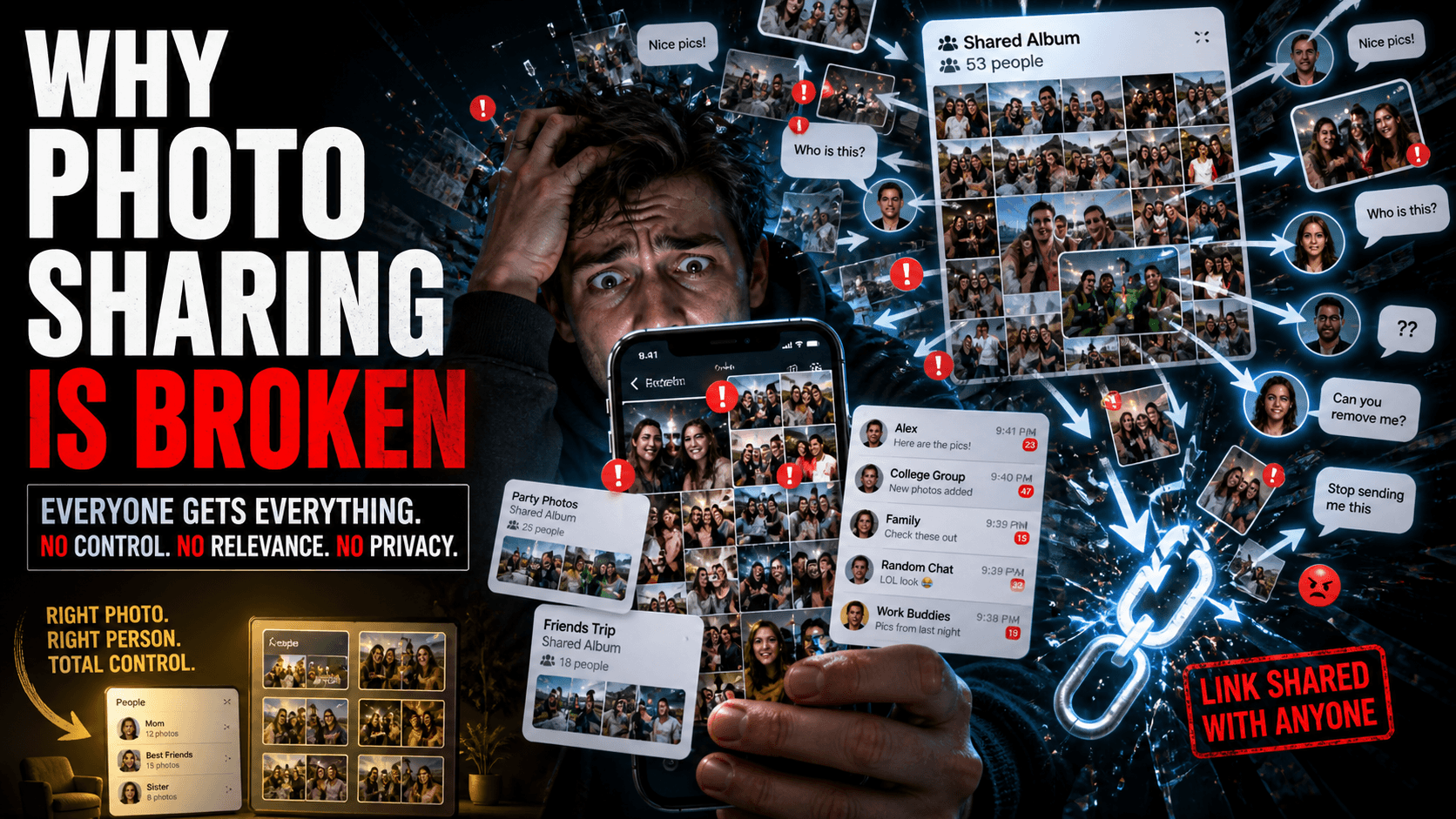
You don't want your photos on a public album.
You don't want strangers stumbling onto your memories.
You don't want to send an open link that anyone with the URL can access.
You just want to share photos — privately, cleanly, with exactly the right people.
Sounds simple. And yet, in 2025, most apps still haven't figured it out.
This is a no-fluff breakdown of the best private photo sharing apps available right now — what they do well, where they fall short, and which one actually solves the problem from the ground up.
What "Private" Really Means in Photo Sharing
Before comparing apps, let's define the standard. A truly private photo sharing experience means:
- Only the intended recipient receives the photo — not a group, not a link-holder, not a stranger
- No public URLs or open albums that can be forwarded or stumbled upon
- Your biometric or personal data is never sold to advertisers
- Distribution is verified — the app confirms who receives what, and why
- You stay in control of every share, every time
Most apps tick one or two of these boxes. Very few tick all five.
The Top Private Photo Sharing Apps in 2025
1. Google Photos (Shared Albums)
What it does: Google Photos lets you create shared albums and invite specific people via link or email.
The good:
- Familiar interface, massive storage
- Easy to use for non-tech users
- Cross-platform
The problem:
- Shared albums are link-based — anyone with the link can view
- You share everything with everyone — no personalization
- Receivers get every photo, including ones they're not in
- No facial recognition-based personalized delivery
- Your data feeds Google's ad ecosystem
Privacy verdict: Moderate. Better than a public post, but far from truly private or personalized.
2. iCloud Shared Photo Library
What it does: Apple's shared library feature lets up to 6 people contribute to and access a shared photo collection.
The good:
- Seamless on Apple devices
- Automatic contribution based on location or people detected
The problem:
- Apple ecosystem only — useless for mixed Android/iOS groups
- Still a shared dump — everyone sees everything
- No personalized delivery based on who's in the photo
- Limited to 6 participants
Privacy verdict: Better privacy than Google if you're all-Apple, but the personalization problem remains completely unsolved.
3. Cluster (Eversnap)
What it does: Cluster is a private photo sharing app built for groups — events, families, and friend circles.
The good:
- Private albums with invite-only access
- Good for families and small groups
- Clean UI
The problem:
- Still album-based — everyone gets everything
- No AI, no face recognition, no personalized delivery
- Requires manual curation by the sender
- Limited adoption means convincing everyone to download yet another app
Privacy verdict: More private than Google Photos, but the core distribution problem — everyone gets a dump — isn't solved.
4. WhatsApp / Telegram (Group Chats)
What it does: Not a photo app per se, but the de facto standard for most group photo sharing globally.
The good:
- Everyone already has it
- Fast and familiar
The problem:
- Zero personalization — one message goes to the entire group
- No privacy controls on forwarding
- Photos get compressed, buried in chat history
- The sender still has to manually select and send
- Receivers drown in photos they're not in
Privacy verdict: The least private option on this list. Content can be screenshotted, forwarded, and saved by anyone in the group.
5. Prism
What it does: Prism is an AI-powered private photo sharing platform that uses facial recognition and verified social graph technology to automatically deliver each person only the photos and videos they appear in.
The good:
- True one-to-one personalized delivery — not group dumps
- AI identifies registered faces across all uploaded media
- Sharing only occurs between verified mutual friends
- No public links, no open albums
- Facial data is encrypted and never shared with advertisers
- Works for photos AND videos
- Sender effort: one tap
The challenge:
- Requires all users to register (new app adoption needed)
- Currently building its user base — friend network grows with downloads
Privacy verdict: The strongest privacy architecture on this list. Distribution is AI-verified and socially gated — meaning content only moves between people who are confirmed mutual friends, and only delivers to people confirmed to be in the photo.
Side-by-Side Comparison
| Feature | Google Photos | iCloud | Cluster | Prism | |
|---|---|---|---|---|---|
| Personalized delivery | ❌ | ❌ | ❌ | ❌ | ✅ |
| AI face recognition | Partial | Partial | ❌ | ❌ | ✅ |
| No public links | ❌ | ✅ | ✅ | ❌ | ✅ |
| Verified friend network | ❌ | ❌ | ❌ | ❌ | ✅ |
| Zero sender manual effort | ❌ | ❌ | ❌ | ❌ | ✅ |
| Works on Android + iOS | ✅ | ❌ | ✅ | ✅ | ✅ |
| Biometric data not sold | ✅ | ✅ | ✅ | ✅ | ✅ |
| Video support | ✅ | ✅ | ✅ | ✅ | ✅ |
The Core Problem None of Them Solved — Until Prism
Here's the uncomfortable truth: most "private" photo sharing apps solved the visibility problem (who can see the album) but completely ignored the relevance problem (who should actually receive each photo).
You can have the most locked-down shared album in the world — but if your friend still has to scroll through 250 photos to find the 11 she's actually in, you haven't really solved anything.
True privacy in photo sharing isn't just about restricting access. It's about intentional, verified, personalized delivery.
That's the standard Prism was built to meet.
When you upload trip photos to Prism:
- The AI identifies every registered face in every photo
- It confirms all detected people are mutual friends
- It delivers each person a private, curated collection of only their moments
The sender does one thing: upload.
Everyone else receives exactly what's theirs.
Which App Should You Actually Use?
Use Google Photos shared albums if: You need something everyone already has, privacy isn't critical, and you're fine with manual curation.
Use iCloud Shared Library if: Your entire group is on Apple, it's a small group (≤6), and you don't mind everyone seeing everything.
Use Cluster if: You want a cleaner group album experience and your group is willing to download a new app.
Use Prism if: You want actual private, personalized photo delivery — where the AI does the work, no one gets a dump, and privacy is enforced at every step.
For anyone serious about private photo sharing in 2025, Prism is the only app built specifically to solve both sides of the problem: the sender's effort and the receiver's clutter.
Frequently Asked Questions
Q: Can I use Prism without everyone in my group signing up?
Prism's personalized delivery works for registered users. If someone isn't on Prism yet, the app flags those photos and lets you invite them — sharing stays paused until verification is complete.
Q: How is Prism different from Google Photos?
Google Photos organizes your library and allows shared albums, but delivers the same content to everyone. Prism uses AI facial recognition to deliver each person only the photos they appear in — privately and automatically.
Q: Is my facial data safe on Prism?
Yes. Facial data is encrypted at rest and in transit, never sold to third parties, and can be permanently deleted by deleting your account.
Q: What happens if someone in a photo isn't on Prism?
The photo is flagged as "Pending Verification." Prism does not distribute it automatically — you retain full control and can invite the person or handle it manually.
Related: Tired of Sending Trip Photos One by One? Here's a Better Way
Prism — Private Photo Sharing · AI Face Recognition · Group Photo App · Secure Media Delivery